Loading...
HOW TO RESET YOUR PASSWORD
Before attempting to reset your password, ensure you have your membership number and the email/mobile number registered to your account.
Follow the easy steps below.
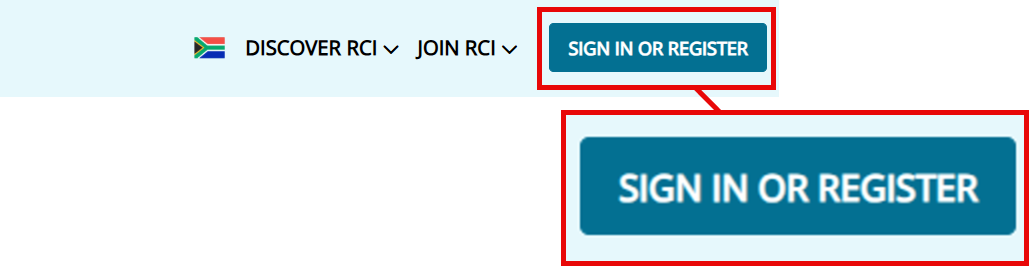
STEP 1 - Click the "SIGN IN OR REGISTER' button, located in the top right-hand corner of the main menu bar.
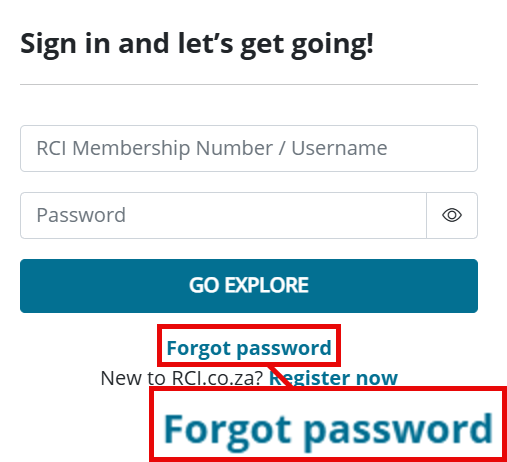
STEP 2 - Press 'Forgot password' on the sign in box.

STEP 3 - Complete the forgotten password fields
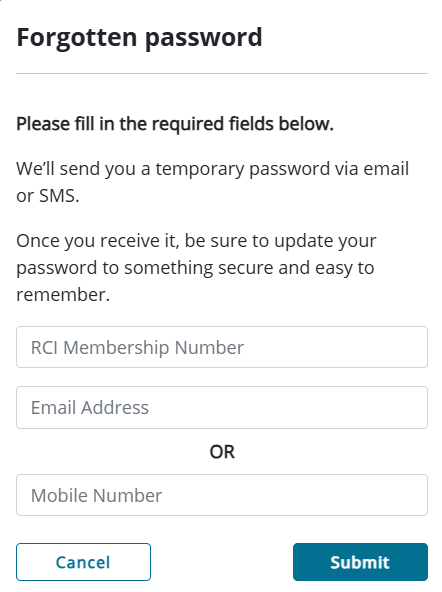
Your temporary password will be emailed/SMSed to you.